
5.8 KiB
Zenbones
Zenbones is a light vim/neovim colorscheme designed to highlight code using contrasts and font variations. Colors are tasked only for other roles such as diagnostics, diffs, search matches.

A rock garden in Ryōan-ji.
Requirements
Primarily built for neovim but it works pretty well with vim. However here are some requirements to take full advantage of the colorscheme:
- 24-bit RGB colors (neovim or vim compiled with +termguicolors)
- Font with bold and italic
- Terminal or GUI with bold and italic support
Installation
Example installation using packer:
use "mcchrish/zenbones.nvim"

-- Optionally install Lush. Useful if you want to extend the theme
-- e.g. create a statusline plugin theme using zenbones colors
use "rktjmp/lush.nvim"
-- See Advanced Usage section for more details
Usage
Just apply the colorscheme as usual:
set termguicolors
colorscheme zenbones
If you want to make use of the lua version:
" has('nvim') only
set termguicolors
colorscheme zenbones-lush
It works pretty much the same as the first one but pretty handy when extending or customizing the colors to your likings.
Showcase
Diff highlights

Search matches

LSP diagnostics

Font used is Iosevka Curly Slab.
Configuration
Configuration is only available for zenbones-lush.
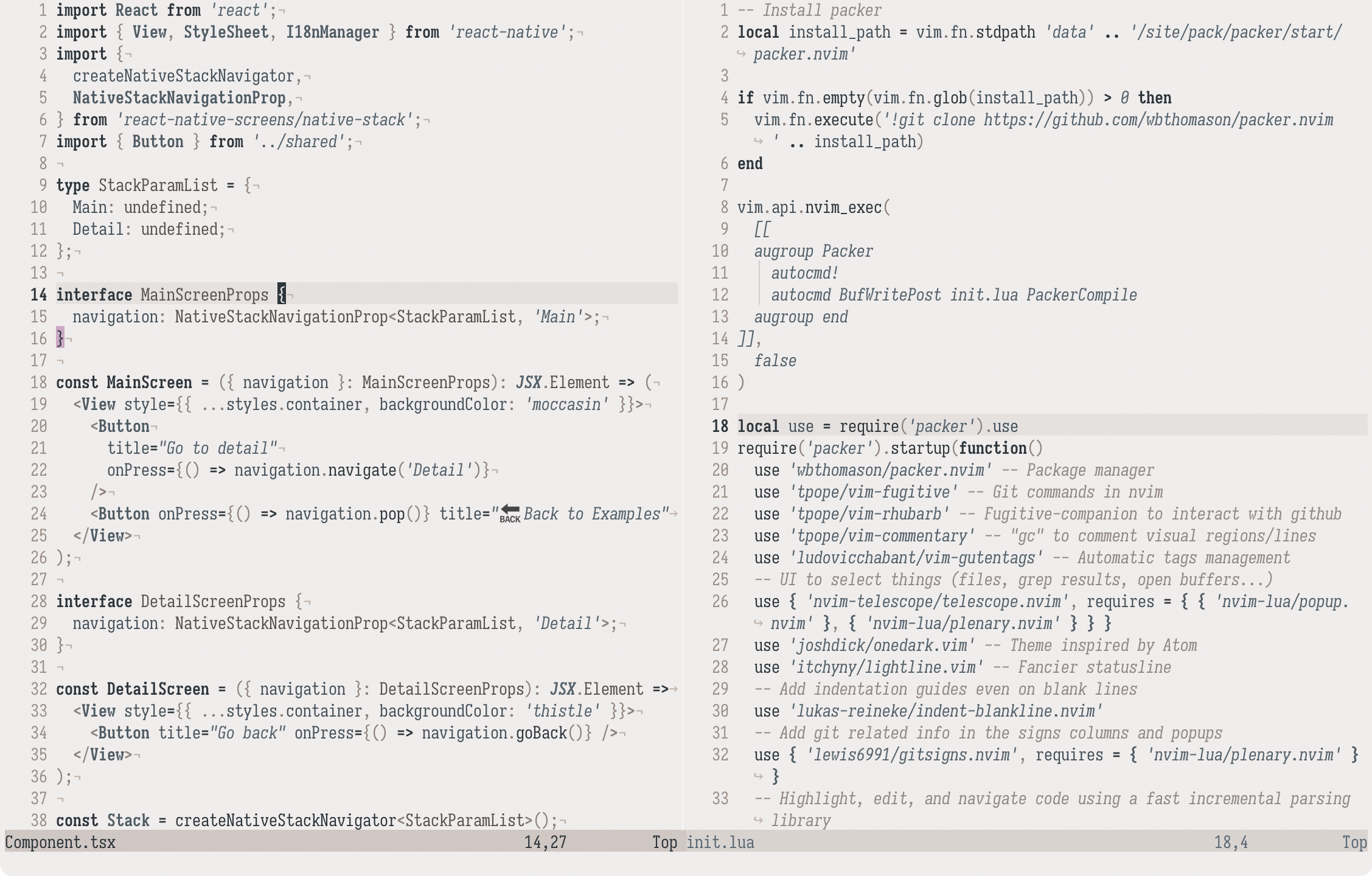
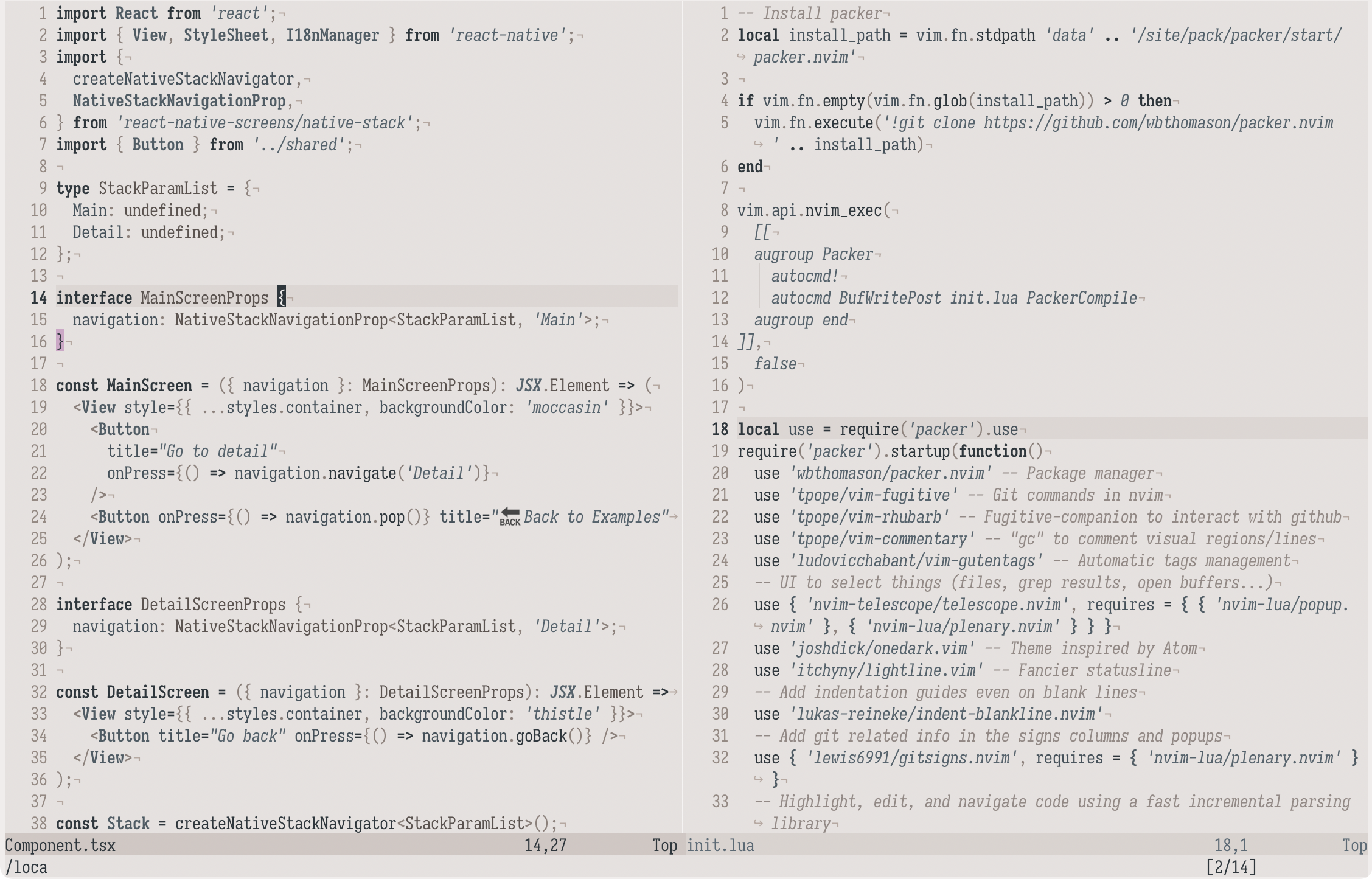
g:zenbones_lightness
Change background colors lightness.
'bright'
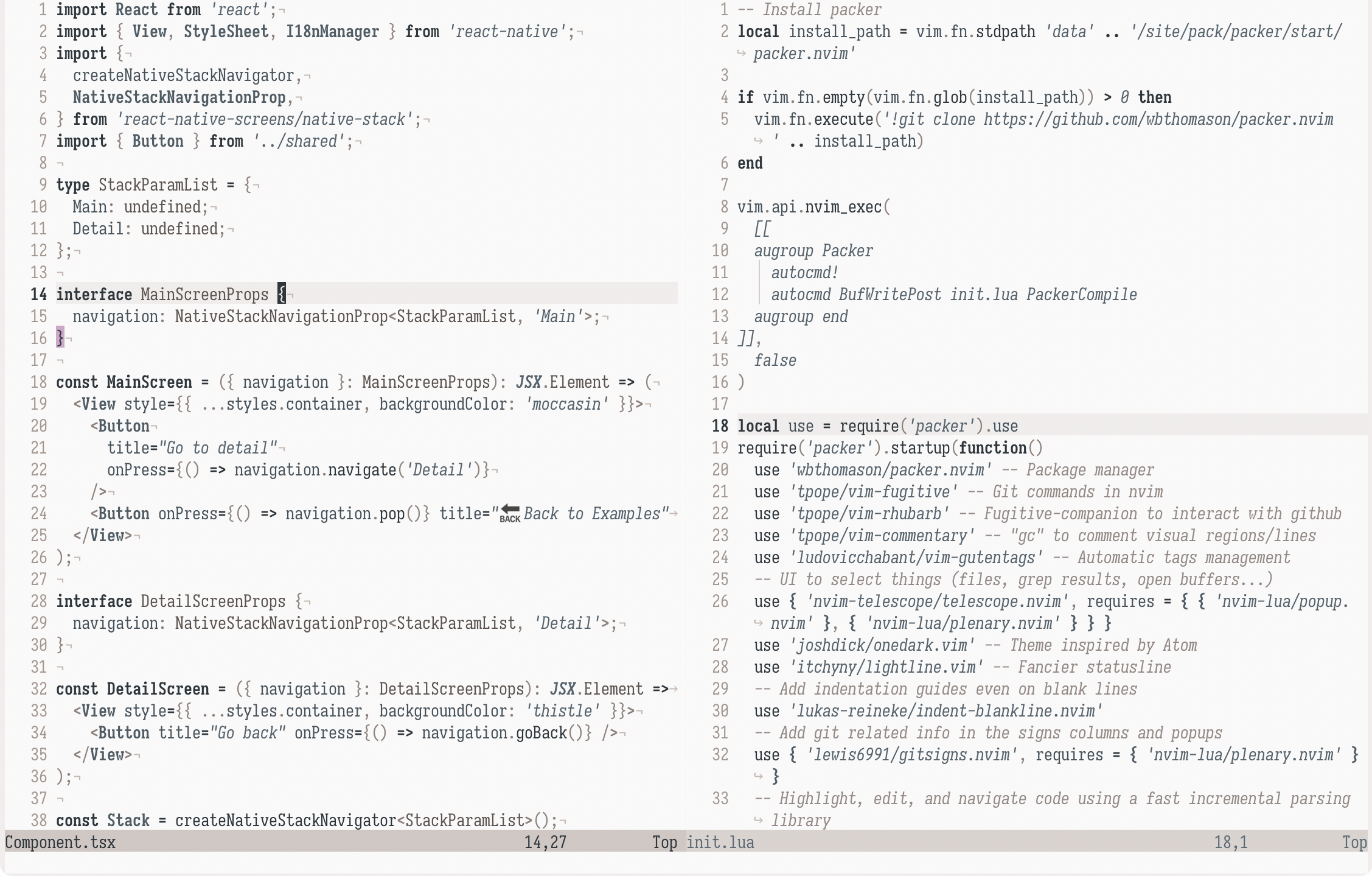
Default (unset)
'dim'
g:zenbones_solid_vert_split
Set to v:true to make vertical split more visible with a dimmer background
highlight.
g:zenbones_dim_noncurrent_window
Set to v:true to make non-current window background dimmer than Normal.
Advanced Usage
Zenbones is pretty extensible thanks to Lush. You can easily retrieve the colors in lua:
local theme = require "zenbones"
local colors = require "zenbones.colors"

print(theme.StatusLine.bg.hex)
print(sand.darken(20).hex)
See also Lush's documentation for the complete options.
Other plugins support
Aside from LSP and basic Tree-sitter support, here are some plugins that are currently supported.
- Git Signs
- Git Gutter
- Indent Blankline
- Telescope
- Sneak
- Lightspeed
- Hop
- Lualine
- Lightline
- BarBar
- CoC
- Neogit
- WhichKey
Other implementations
Print terminal colors
You can retrieve the terminal colors by using this command:
:lua require("zenbones.print").print_terminal_colors()
Useful when you want to apply a zenbones theme to your terminal. Recent output:
Terminal colors
foreground: #2C363C
background: #F0EDEC
ansi color0: #2C363C
ansi color1: #A8334C
ansi color2: #617437
ansi color3: #944927
ansi color4: #286486
ansi color5: #88507D
ansi color6: #3B8992
ansi color7: #F0EDEC
ansi color8: #44525B
ansi color9: #9C2842
ansi color10: #55672A
ansi color11: #87411E
ansi color12: #1F5A7A
ansi color13: #864079
ansi color14: #2F7C85
ansi color15: #DCD2CE
cursor foreground: #F2F0EF
cursor background: #2C363C
inactive cursor foreground: #F2F0EF
inactive cursor background: #4D5C65
selection background: #D2DFE7
It's also possible to generate color configuration files using a template, this one for Kitty for example. Please feel free to submit a PR if you want to add some more.
Inspirations
Zenbones is heavily inspired by Verdandi and vim-yin-yang. The name came from a book called Zen Flesh, Zen Bones.
There are more similar colorschemes with few colors from this collection.