A rock garden in Ryōan-ji.
## Requirements Primarily built for neovim but it works pretty well with vim. However here are some requirements to take full advantage of the colorscheme: - 24-bit RGB colors (neovim or vim compiled with +termguicolors) i.e. `set termguicolors` - Font with bold and italic - Terminal or GUI with bold and italic support ## Installation Example installation using packer: ```lua use "mcchrish/zenbones.nvim" -- Optionally install Lush. Useful if you want to extend the theme -- e.g. create a statusline plugin theme using zenbones colors use "rktjmp/lush.nvim" -- See Advanced Usage section for more details ``` ## Usage Just apply the colorscheme as usual: ```vim colorscheme zenbones ``` If you want to make use of the lua version: ```vim " Requires `neovim` and `rktjmp/lush.nvim` installed colorscheme zenbones-lush ``` It works pretty much the same as the first one but pretty handy when extending or customizing the colors to your likings. ## Configuration Configuration is only available for `zenbones-lush`. #### g:zenbones_lightness Change background colors lightness. **'bright'**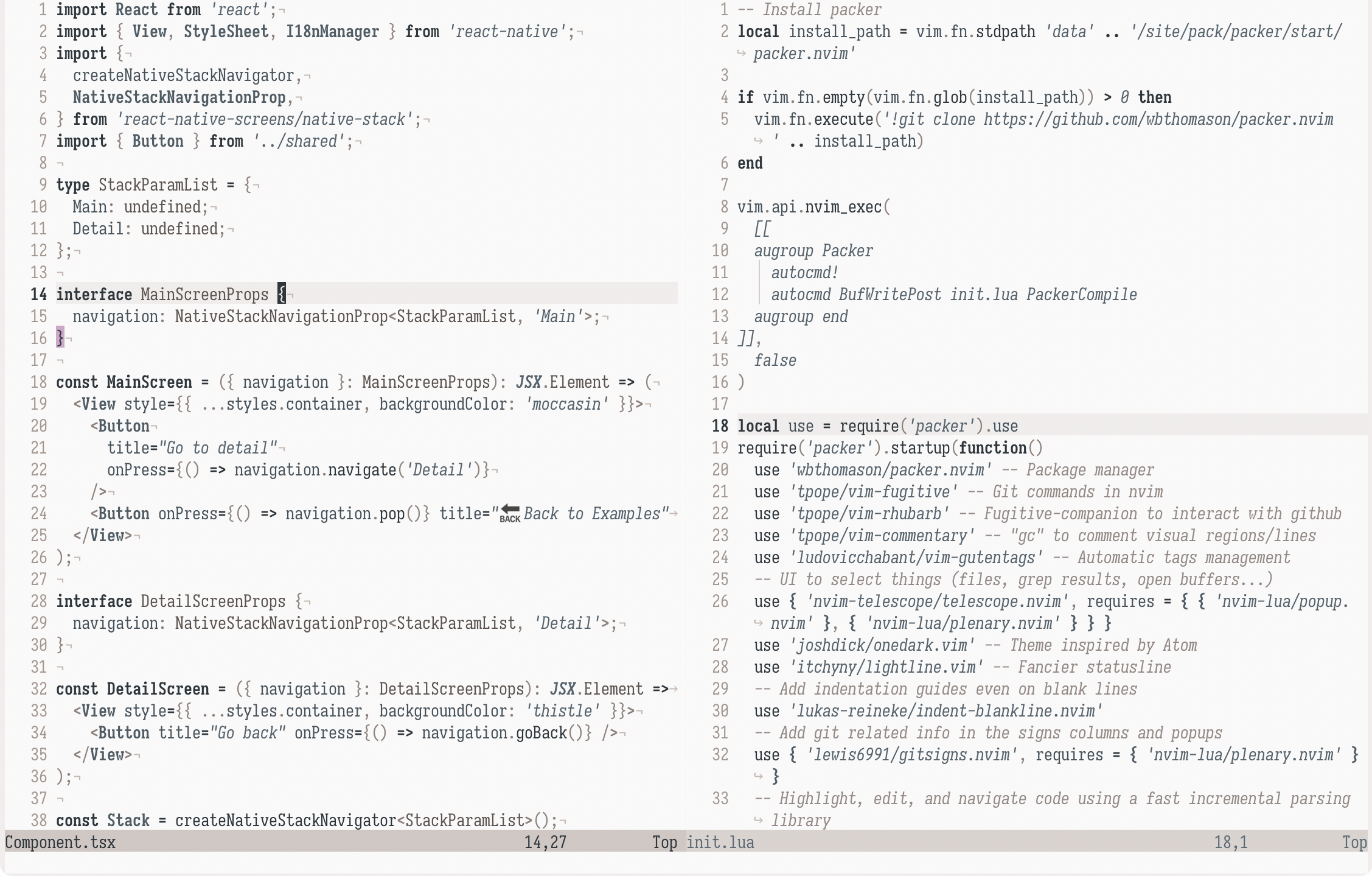 **Default** _(unset)_
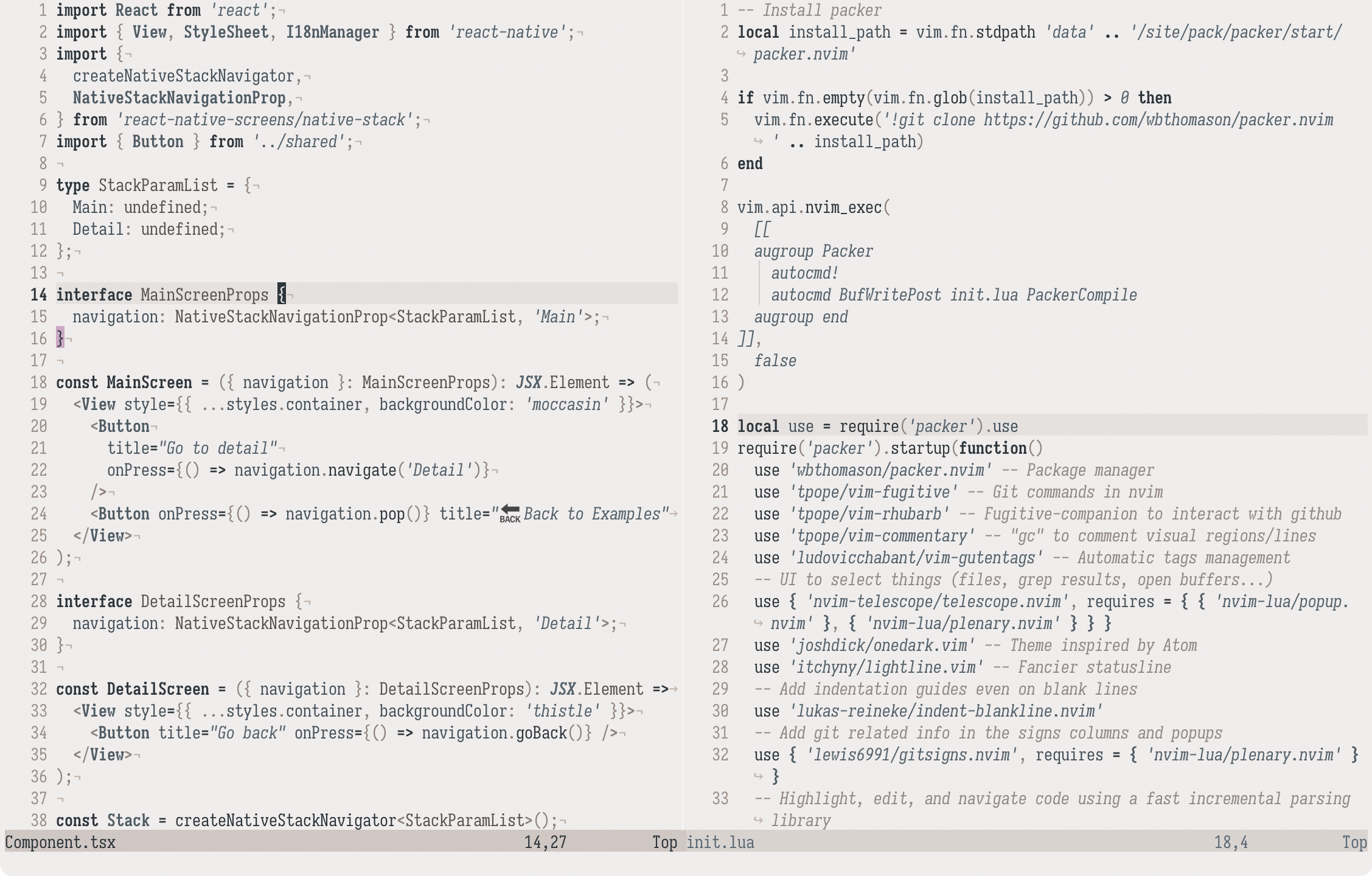 **'dim'**
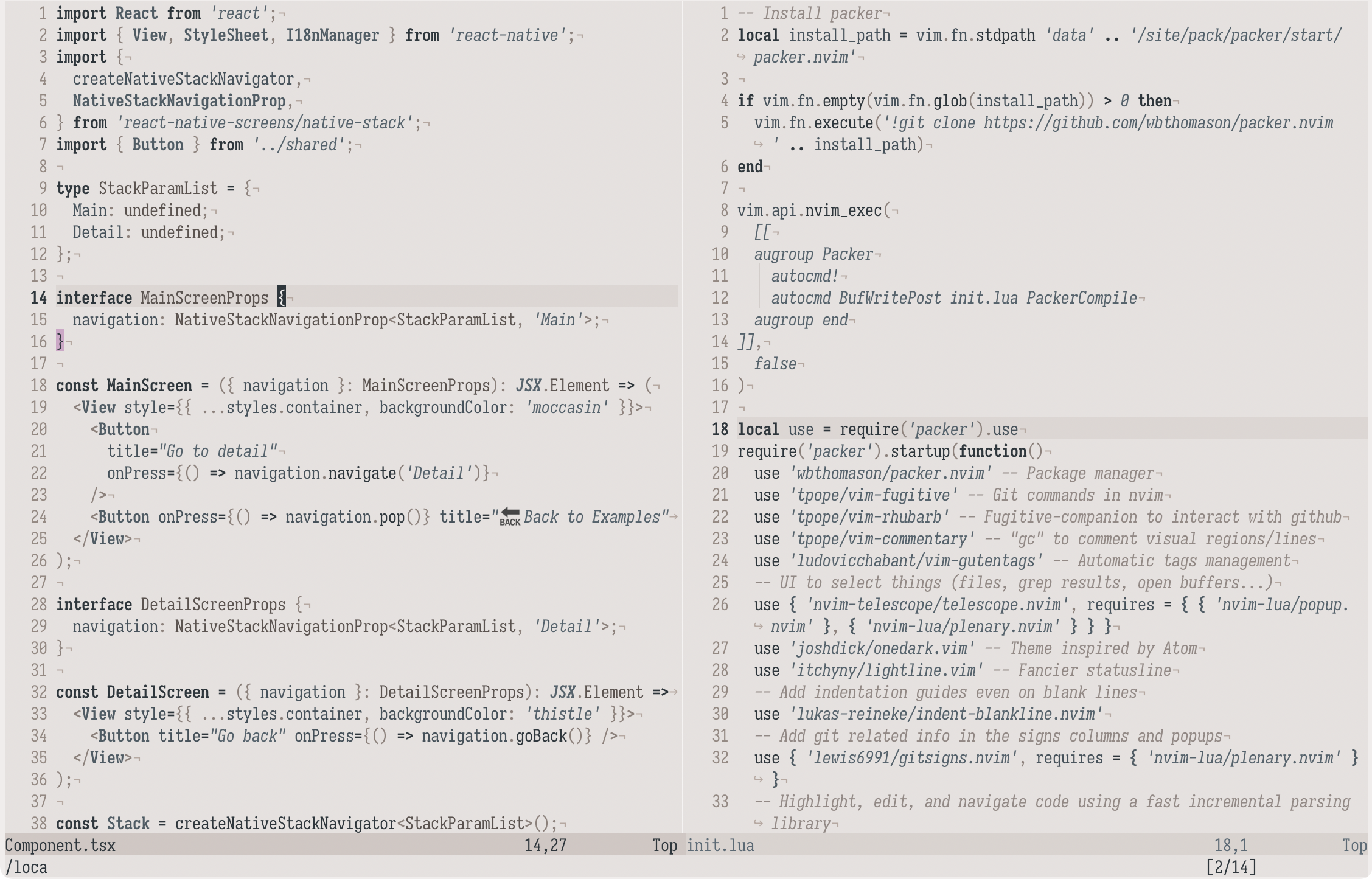 #### g:zenbones_solid_vert_split
Set to `v:true` to make vertical split more visible with a dimmer background
highlight.
#### g:zenbones_dim_noncurrent_window
Set to `v:true` to make non-current window background dimmer than _Normal_.
#### g:zenbones_italic_comments
Set to `v:false` to make comments not italicize.
## Advanced Usage
Zenbones is pretty extensible thanks to Lush. You can easily retrieve the colors
in lua:
```lua
local theme = require "zenbones"
local palette = require "zenbones.palette"
print(theme.StatusLine.bg.hex)
print(palette.sand.darken(20).hex)
```
See also
[Lush's documentation](https://github.com/rktjmp/lush.nvim#advanced-usage) for
more options.
## Other plugins support
Aside from LSP and basic Tree-sitter support, here are some plugins that are
currently supported.
- [Git Signs](https://github.com/lewis6991/gitsigns.nvim)
- [Git Gutter](https://github.com/airblade/vim-gitgutter)
- [Indent Blankline](https://github.com/lukas-reineke/indent-blankline.nvim)
- [Telescope](https://github.com/nvim-telescope/telescope.nvim)
- [Sneak](https://github.com/justinmk/vim-sneak)
- [Lightspeed](https://github.com/ggandor/lightspeed.nvim)
- [Hop](https://github.com/phaazon/hop.nvim)
- [Lualine](https://github.com/hoob3rt/lualine.nvim)
- [Lightline](https://github.com/itchyny/lightline.vim)
- [BarBar](https://github.com/romgrk/barbar.nvim)
- [CoC](https://github.com/neoclide/coc.nvim)
- [Neogit](https://github.com/TimUntersberger/neogit)
- [WhichKey](https://github.com/folke/which-key.nvim)
- [Trouble](https://github.com/folke/trouble.nvim)
## Other implementations
- [iTerm2](extras/iterm/zenbones.itermcolors)
- [Kitty](extras/kitty/zenbones.conf)
- [Alacritty](extras/alacritty/zenbones.yml)
- [WezTerm](extras/wezterm/Zenbones.toml)
- [Tmux](extras/tmux/zenbones.tmux)
It's also possible to generate color configuration files using a template,
[this one for Kitty](lua/zenbones/build/kitty.lua) for example. Please feel free
to submit a PR if you want to add some more.
## Showcase
**Diff highlights**
#### g:zenbones_solid_vert_split
Set to `v:true` to make vertical split more visible with a dimmer background
highlight.
#### g:zenbones_dim_noncurrent_window
Set to `v:true` to make non-current window background dimmer than _Normal_.
#### g:zenbones_italic_comments
Set to `v:false` to make comments not italicize.
## Advanced Usage
Zenbones is pretty extensible thanks to Lush. You can easily retrieve the colors
in lua:
```lua
local theme = require "zenbones"
local palette = require "zenbones.palette"
print(theme.StatusLine.bg.hex)
print(palette.sand.darken(20).hex)
```
See also
[Lush's documentation](https://github.com/rktjmp/lush.nvim#advanced-usage) for
more options.
## Other plugins support
Aside from LSP and basic Tree-sitter support, here are some plugins that are
currently supported.
- [Git Signs](https://github.com/lewis6991/gitsigns.nvim)
- [Git Gutter](https://github.com/airblade/vim-gitgutter)
- [Indent Blankline](https://github.com/lukas-reineke/indent-blankline.nvim)
- [Telescope](https://github.com/nvim-telescope/telescope.nvim)
- [Sneak](https://github.com/justinmk/vim-sneak)
- [Lightspeed](https://github.com/ggandor/lightspeed.nvim)
- [Hop](https://github.com/phaazon/hop.nvim)
- [Lualine](https://github.com/hoob3rt/lualine.nvim)
- [Lightline](https://github.com/itchyny/lightline.vim)
- [BarBar](https://github.com/romgrk/barbar.nvim)
- [CoC](https://github.com/neoclide/coc.nvim)
- [Neogit](https://github.com/TimUntersberger/neogit)
- [WhichKey](https://github.com/folke/which-key.nvim)
- [Trouble](https://github.com/folke/trouble.nvim)
## Other implementations
- [iTerm2](extras/iterm/zenbones.itermcolors)
- [Kitty](extras/kitty/zenbones.conf)
- [Alacritty](extras/alacritty/zenbones.yml)
- [WezTerm](extras/wezterm/Zenbones.toml)
- [Tmux](extras/tmux/zenbones.tmux)
It's also possible to generate color configuration files using a template,
[this one for Kitty](lua/zenbones/build/kitty.lua) for example. Please feel free
to submit a PR if you want to add some more.
## Showcase
**Diff highlights**
 **Search matches**
 **LSP diagnostics**
 _Font used is [Iosevka Curly Slab](https://typeof.net/Iosevka/)_.
## Inspirations
Zenbones is heavily inspired by
[Verdandi](https://github.com/be5invis/vsc-theme-verdandi) and
[vim-yin-yang](https://github.com/pgdouyon/vim-yin-yang). The name came from a
book called
[Zen Flesh, Zen Bones](https://en.wikipedia.org/wiki/Zen_Flesh,_Zen_Bones).
There are more similar
[colorschemes with few colors from this collection](https://github.com/mcchrish/vim-no-color-collections).
_Font used is [Iosevka Curly Slab](https://typeof.net/Iosevka/)_.
## Inspirations
Zenbones is heavily inspired by
[Verdandi](https://github.com/be5invis/vsc-theme-verdandi) and
[vim-yin-yang](https://github.com/pgdouyon/vim-yin-yang). The name came from a
book called
[Zen Flesh, Zen Bones](https://en.wikipedia.org/wiki/Zen_Flesh,_Zen_Bones).
There are more similar
[colorschemes with few colors from this collection](https://github.com/mcchrish/vim-no-color-collections).